01 / 07INDEPENDENT BUSINESS SYSTEM PROJECT
NEXUS
Customers, quotes, projects and billing in one workflow.
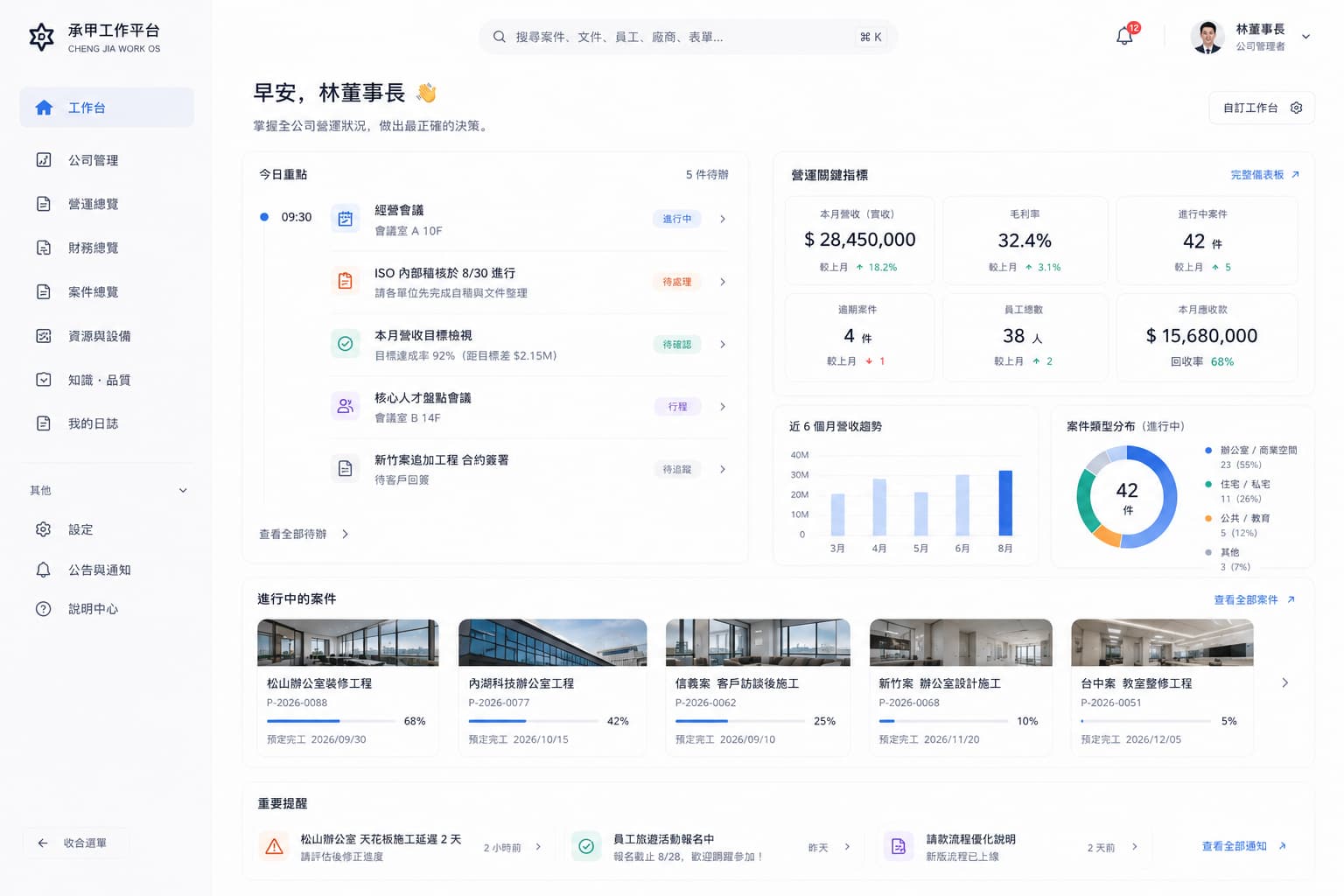
An ongoing business system I proposed after noticing friction in my previous work, built step by step with the technology I am learning and AI support.
GitHub (Private)
01
Learning to build, starting with familiar work.
Where it started
At my previous workplace, paper records, spreadsheets, and customer information were separated across different places, so the same details had to be checked repeatedly and decisions were harder to keep in one view. After coming to Japan to study development, I contacted former colleagues and proposed bringing the customer, estimate, project, and billing flow into one system. NEXUS grew from those conversations and is still being built and verified. The aim is to turn repeated daily checks into a clearer workflow that can be used continuously.
The central ideaNot adding features, but reconnecting the workflow itself into one.
NEXUS / 01
- Customer
- Quotation
- Project
- Finance
NEXUSOne operating base
Four stages of the concept
01EXPERIENCE
Experience
02OBSERVE
Observe
03REFRAME
Reframe
04BUILD
Build
Organizing principles
01
Organize
Make scattered information findable.
02
Connect
Join flows that were separated.
03
Simplify
Reduce unnecessary actions.
02
Connect the work before adding features.
BEFORE
- Customer listExcel
- EstimatesExcel / Word
- Project trackingSpreadsheet
- BillingSeparate system
OUTCOME
01
Build the main flow first
Because requirements keep changing, build the main flow first and add the rest gradually.
02
Keep operation simple
Many functions are fine; complicated operation is not.
03
Keep the final judgment human
AI widens the perspective; the final judgment stays human.
Why does one job require looking in so many places? I started with the relationship between customers, quotes, projects and billing, then worked out the screens.
When customer records, estimates, projects and billing sit in separate places, finding the needed information takes longer and judgment slows down.
What was prioritised was not the number of features but a flow that can be used without hesitation.
CHAPTER NOTEThe problem was not a shortage of features, but a business flow that had been split apart.
NEXUS / 02 · NOTE
03
A business system you can actually use.
Turning the direction and decisions into usable screens and flows.
Customer records and project progress come together in one place for everyday work.
NEXUS starts from the customer inquiry and carries estimates, projects and billing on one operating base.
Core modules
01
CUSTOMERCustomer management
Customer records and related context in one place.
02
QUOTATIONQuotation
Inquiry through quotation, handled in one flow.
03
PROJECTProject management
The project record continues after quotation.
04
OPERATIONSBilling, payment and operations
Billing, payment and management on the same foundation.
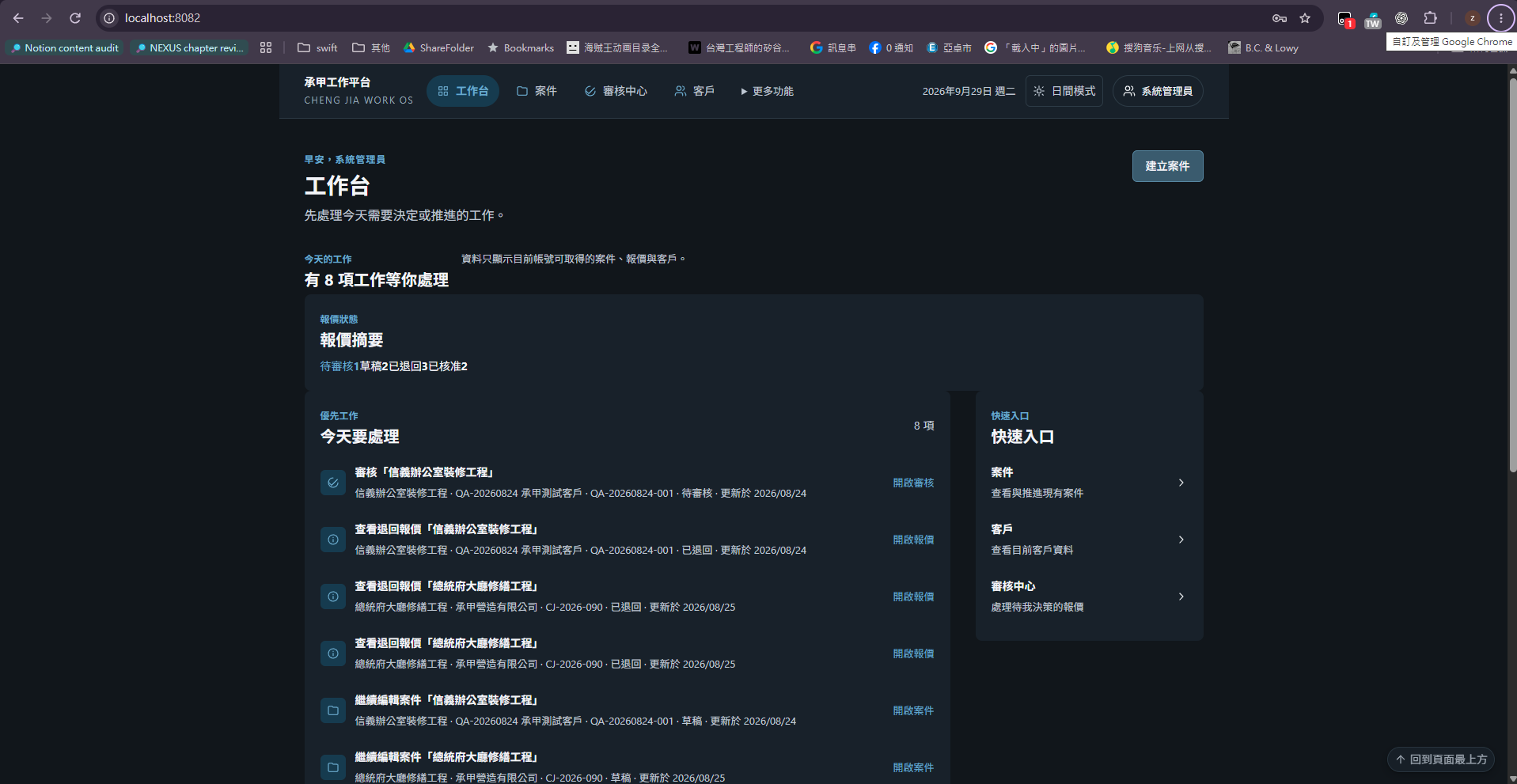
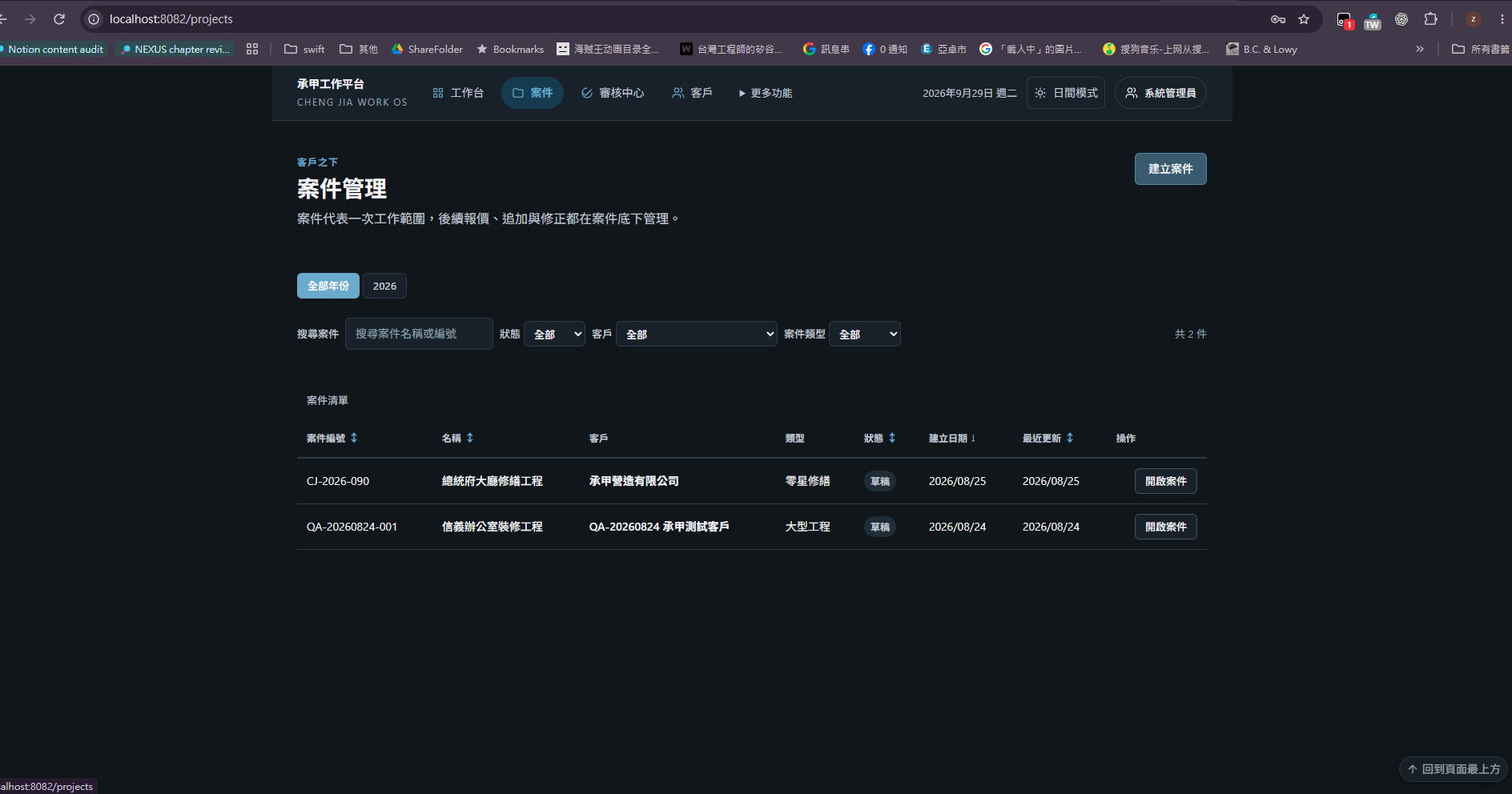
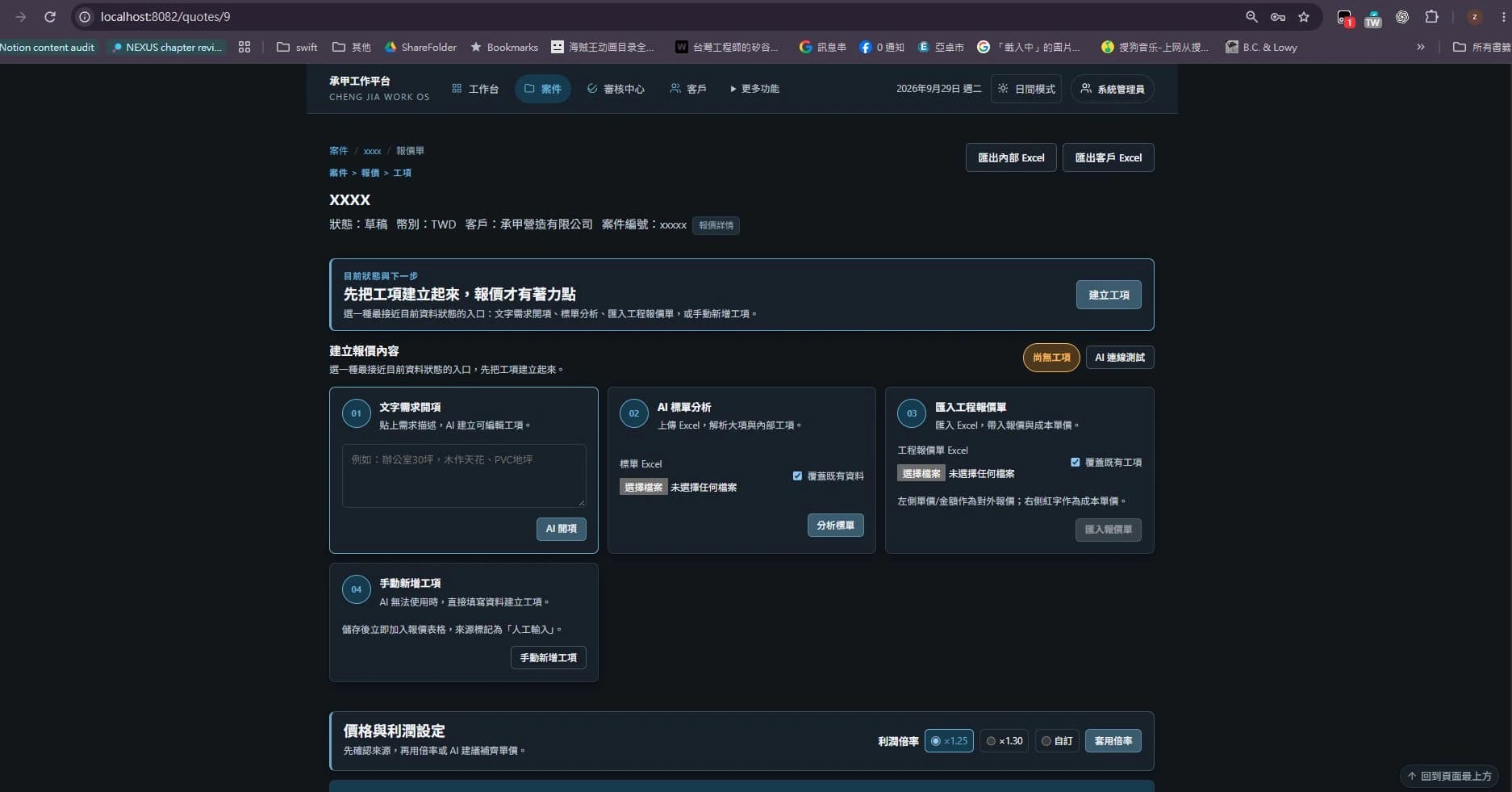
Working screens
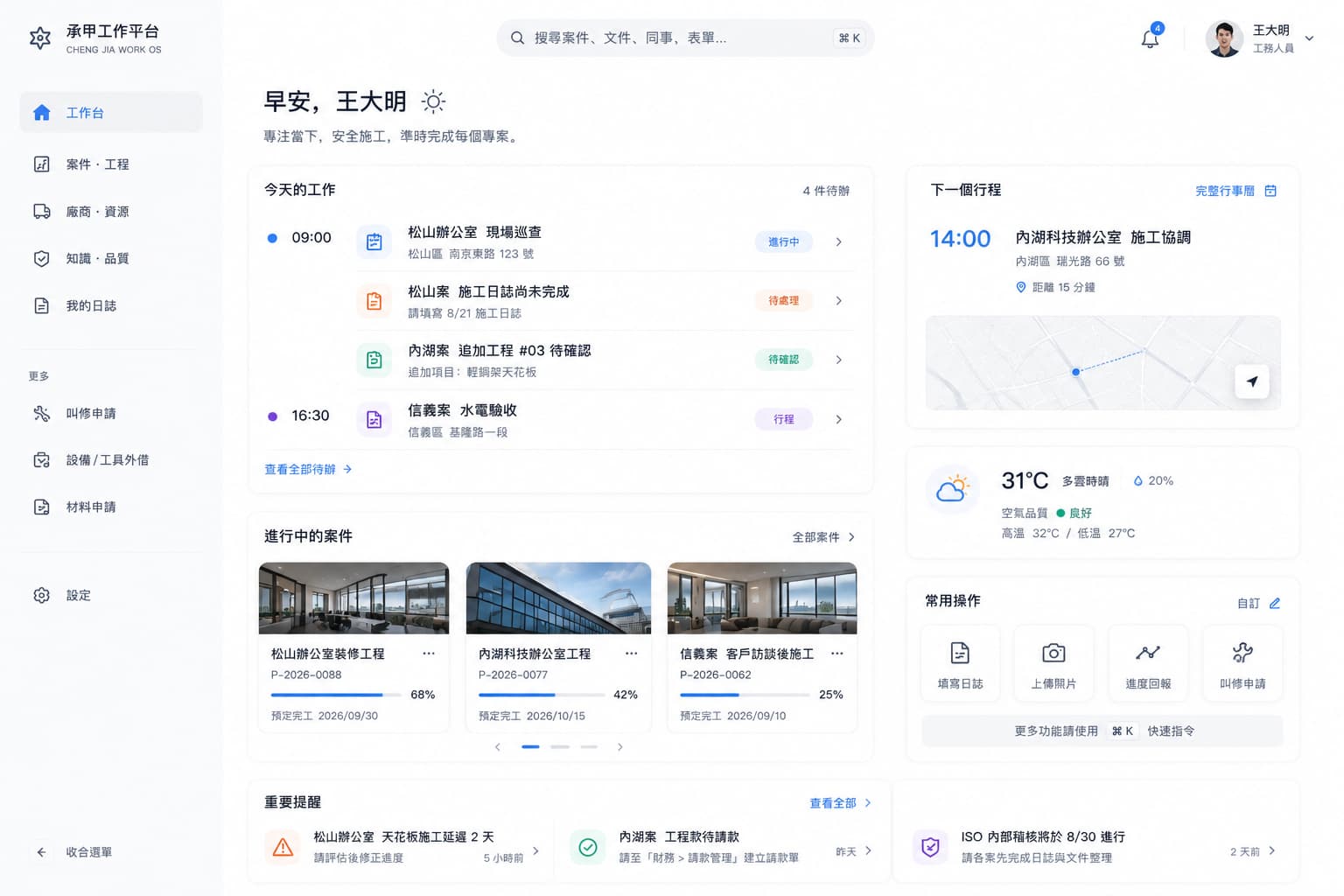
These screens come from the quotation prototype and integration stage. The rewrite is a separate development stage.
Website redesign
Home, services and project listing, shown as the website redesign alongside the business system.
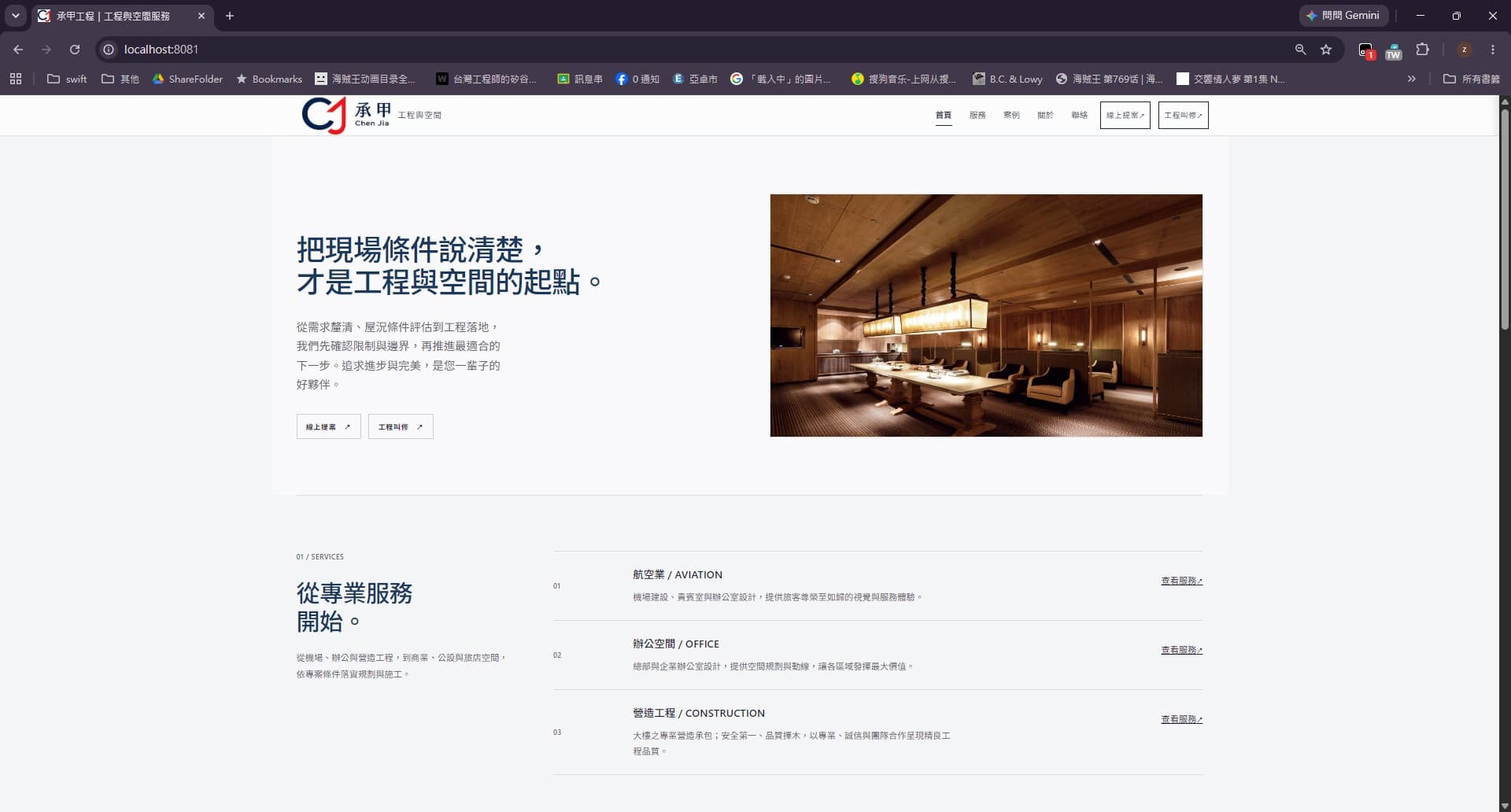
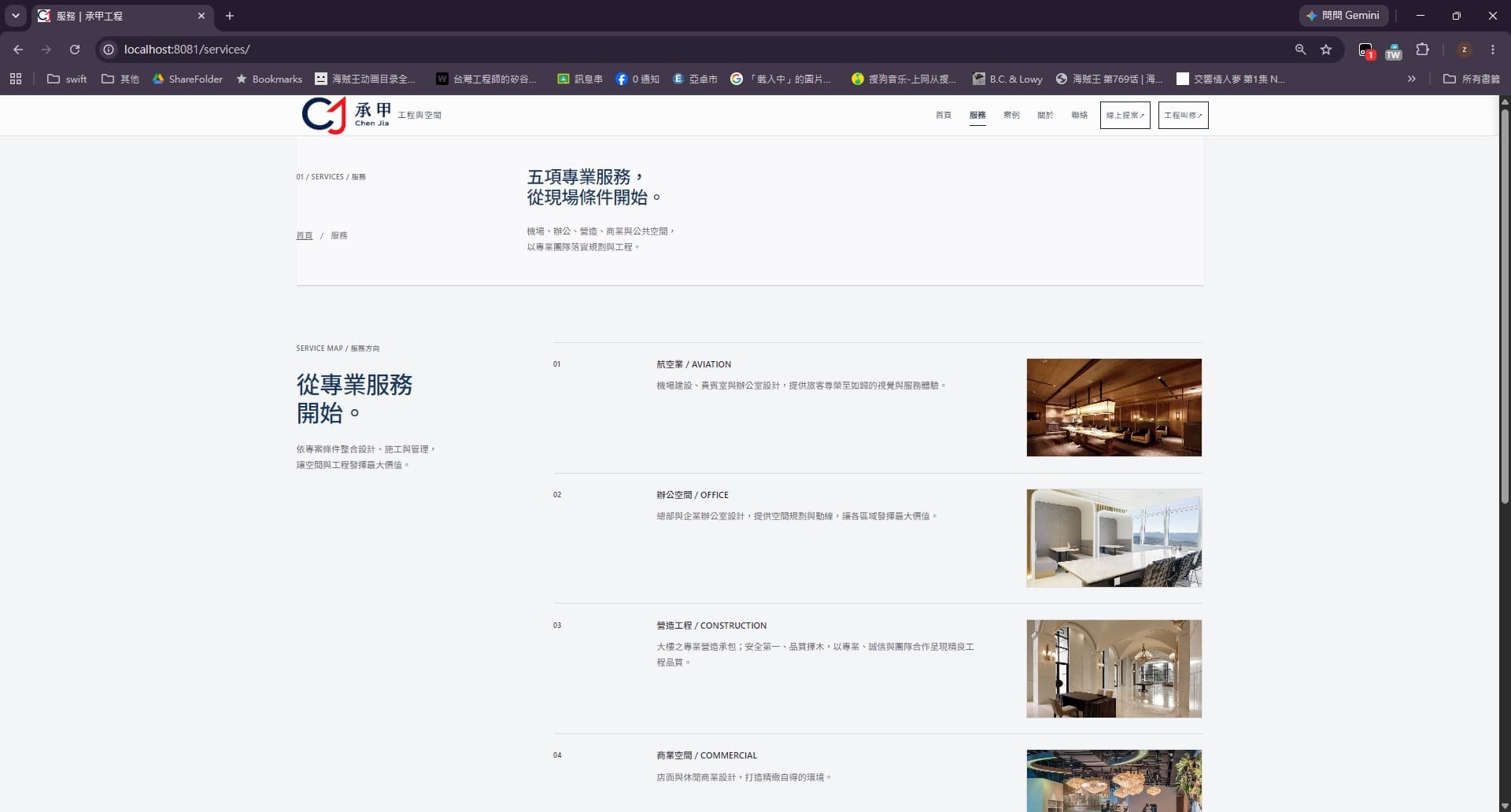

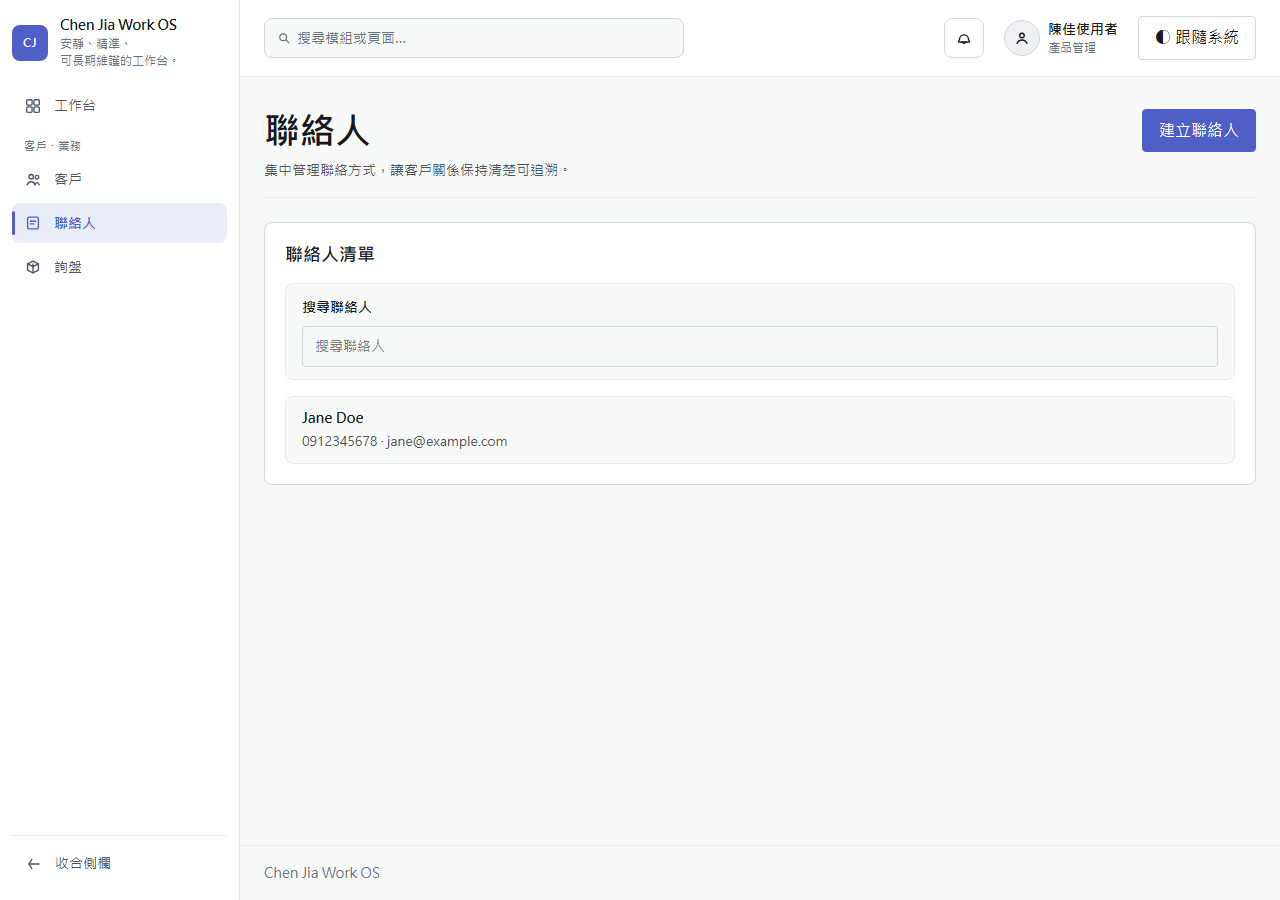
An early rewrite record
This supplied screen records the contact foundation. The PR was unmerged at the time of the record; this is not evidence of a delivered complete business system.
Concept design
Concept screens exploring administrator and operations views, shown separately from implemented features and real operating figures.
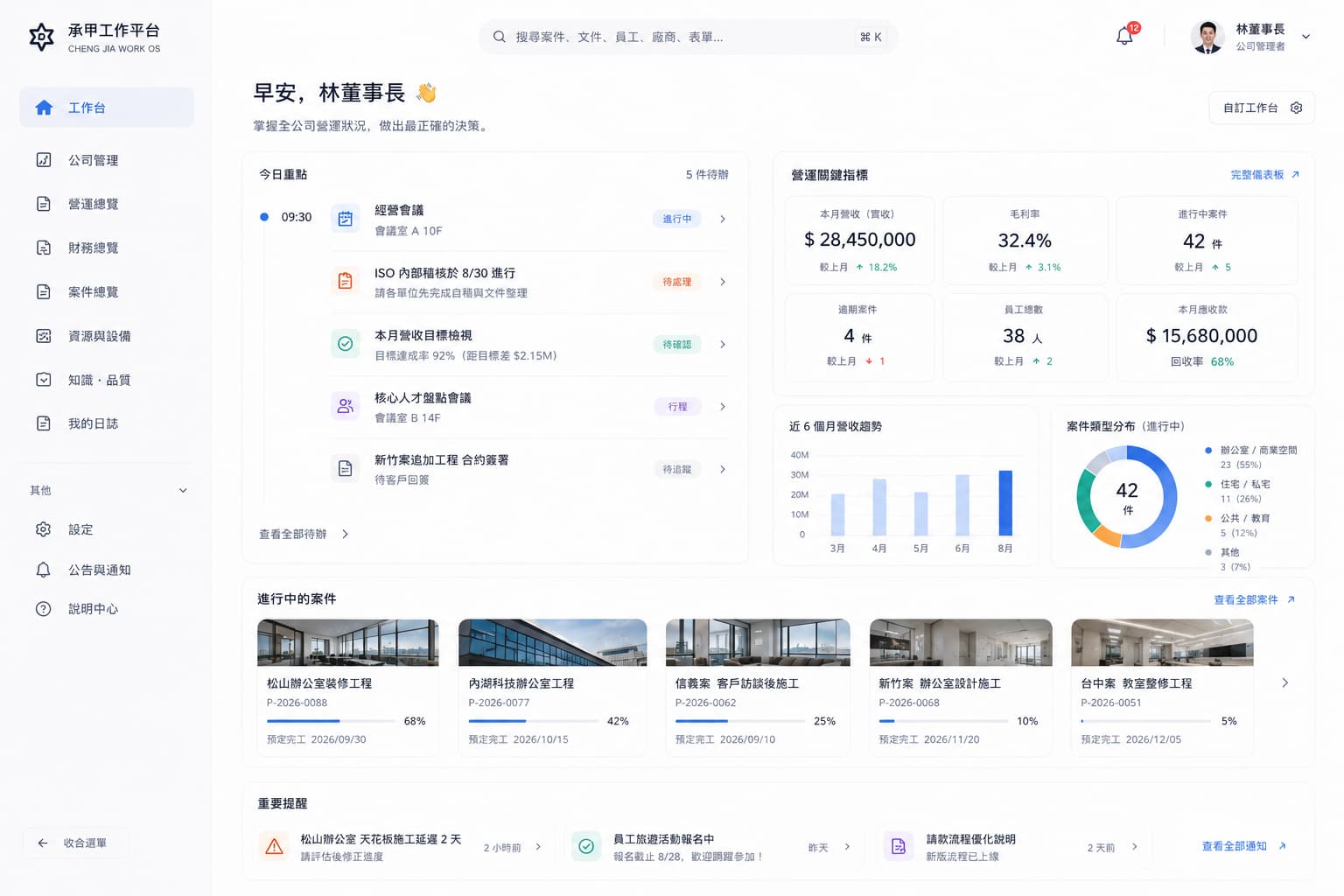
Business lifecycle
01
INQUIRY
Inquiry and intake
02
QUOTE
Quotation
03
CONTRACT
Contract and customer
04
DELIVERY
Delivery and project
05
BILLING
Billing and payment
CHAPTER NOTEA direction and its decisions can only be verified once they become screens and flows that can actually be used.
NEXUS / 03 · NOTE
04
Learning and building with AI.
I am still gaining development experience. I break work into smaller tasks and use AI to help organise, implement and cross-check them. When something is unclear, I return to the code, tests and actual screens before moving on.
Use AI.
But do not hand off judgment.
AI-assisted workflow
01
Define the task
State the requirements and the problem first.
02
Explore with AI
Organize, compare, surface risk and options.
03
Make the decision
Judgment, trade-offs and validation stay with me.
04
Build a small step
Implement in small steps and stack working units.
05
Check it works
Confirm with tests and review.
Different tools for different work.
Clarify the idea
Organise requirements, break down problems and compare possible next steps.
- Environments
- ChatGPT
- Models used
- GPT-5.6 · GPT-6
Build and revise
Use different environments and models for UI implementation, debugging and refactoring.
- Environments
- Codex · Cursor · OpenCode · OMO
- Models used
- Composer 2.5 · GPT-5.6 · GPT-6 · DeepSeek V4.1 · Muse 1.3
Compare the actual screens
Inspect screenshots and compare implementation with design intent from different perspectives.
- Models used
- Gemini 3.8 Flash · Grok 4.7 · GPT-6 Astra
I verify the result and decide what to accept.
I compare suggestions and model results, then accept or reject them. I inspect the code and actual behaviour, revise from what can be checked, and request another review when needed.
- Build / Typecheck
- Tests
- Browser / E2E / Smoke
- Screenshot / Visual QA
An overview of tools used on this project. Detailed assignments and methods belong in the separate AI Workflow study.
05
Give the interface, logic and data clear roles.
I use the React, Spring Boot and PostgreSQL I have learned to connect the interface, business logic and stored data. Keeping their roles clear helps me understand and check each part.
Core layers
Conceptual responsibilities- 01
Interface operations
The interface operations a user works with.
Frontend · React / TypeScript
- 02
Business processing
Processing that follows the business flow.
Backend API · Spring Boot
- 03
Data storage
Storing the data that the system handles.
Database · PostgreSQL
Verified Supporting Engineering
Docker
Containerizing the runtime so the system runs from the same baseline.
Git
Managing the source and its history as one version record.
Authentication
Identifying the user.
Validation
Values are checked before they are used.
Audit Log
Operations leave a record.
CHAPTER NOTEEach tier is verified on its own, then made consistent as a whole. The structure is what fixes that order.
NEXUS / 05 · NOTE
06
Taking shape, and still improving.
Development is ongoing. I am checking with users and adjusting the features and interactions. Next comes further checking of the core workflow: what helps in practice, and what still needs to change.
- IDEA
- PROTOTYPE
- CORE SYSTEM
- NOW
- NEXT
01
WHAT EXISTS NOW
A basic flow that spans customer, estimates and projects.
02
WHAT I LEARNED
Designing the flow of judgment and information matters more than adding features.
03
WHAT COMES NEXT
Verification, improvement and automation for real operation.
The statementFrom what is thought to what can be used.
NEXUS / 06